Complete 2026 Guide for Local Businesses
If customers search for your company on Google but cannot find accurate information about your business, you may be missing valuable calls, visits and enquiries. Google Business Profile Verification Hyderabad is an important starting point for eligible local businesses that want to properly manage how their information appears across Google Search and Google Maps.
Verification confirms that you are authorized to manage the business. Once verified, you can manage important profile information such as business hours and interact with customers through available Business Profile features.
This guide explains the verification process, available methods, common problems and practical steps Hyderabad businesses can take to build a stronger local presence in 2026.
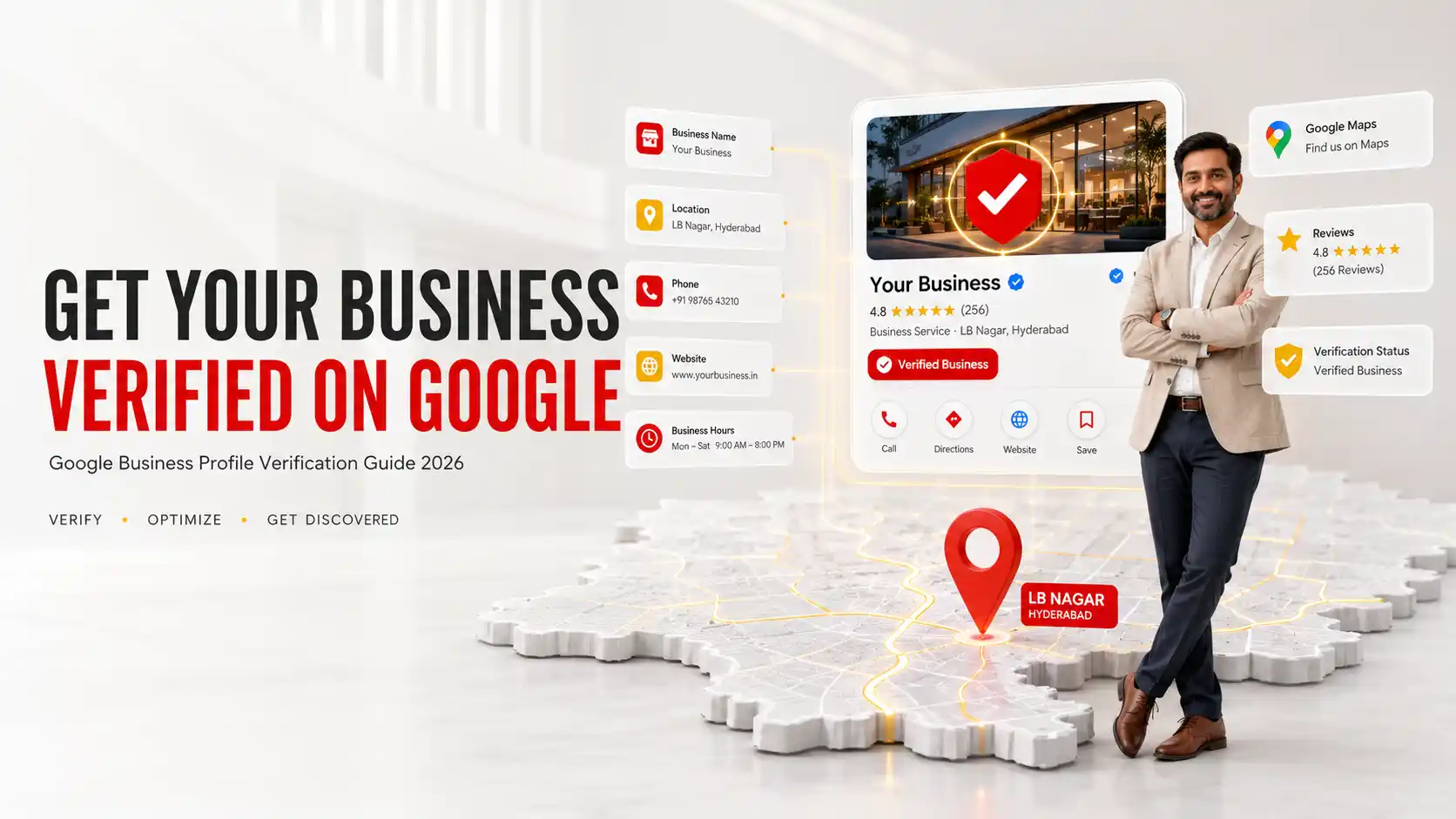
What Is Google Business Profile Verification Hyderabad?
Google Business Profile verification is Google’s process for confirming that a person is authorized to represent and manage an eligible business. Verification helps protect business information from unauthorized management and gives the verified owner control over important profile details.
According to Google’s official Business Profile documentation, businesses need verification to manage information such as their business name and operating hours and to interact with customers through supported features.
Google determines which verification methods are available for each business. The available method can depend on factors such as the type of business, region, public information and operating circumstances.
Why Does Google Business Profile Verification Matter?
Customers searching for businesses in LB Nagar, Dilsukhnagar, Madhapur, Gachibowli, Kukatpally or Hitech City often want immediate information. They may want to know whether a company is open, where it is located, what services it provides and how to contact it.
Verification allows an authorized business representative to maintain profile information and helps establish the foundation for ongoing Google Business Profile SEO Hyderabad.
After verification, businesses should focus on accurate information, relevant categories, customer reviews, photographs, services and useful website content.
Does verification guarantee higher Google Maps rankings?
No. Verification does not guarantee a specific ranking. Google states that local results are primarily determined by relevance, distance and prominence. There is no legitimate way to request or pay Google for a better organic local ranking.
Verification should therefore be viewed as the foundation for profile management rather than a shortcut to the number one position.
1. Prepare Accurate Business Information Before Verification
Before starting Google Business Profile Verification Hyderabad, check that your information accurately represents the real business.
Prepare the following:
- Official business name
- Correct business category
- Physical address where applicable
- Accurate service areas for service based businesses
- Business telephone number
- Official website
- Operating hours
- Business signage where applicable
- Evidence that you operate or manage the business
Avoid adding keywords, neighbourhood names or promotional phrases to your business name unless they are genuinely part of the real business name.
For example, a company should not artificially change its name simply to target searches such as “best SEO company LB Nagar” or “digital marketing agency Hyderabad.”
2. Add or Claim Your Google Business Profile
Before verification, determine whether your business already exists on Google.
If no profile exists, an eligible business can add one and follow Google’s setup process. If an unverified profile already exists, an authorized representative can claim it and proceed with the available verification option.
If another person has already verified the profile, do not create a duplicate listing simply to regain access. Google provides an ownership request process for these situations.
A proper Google Business Profile setup and optimization strategy should begin with resolving ownership and duplicate issues before further optimization.
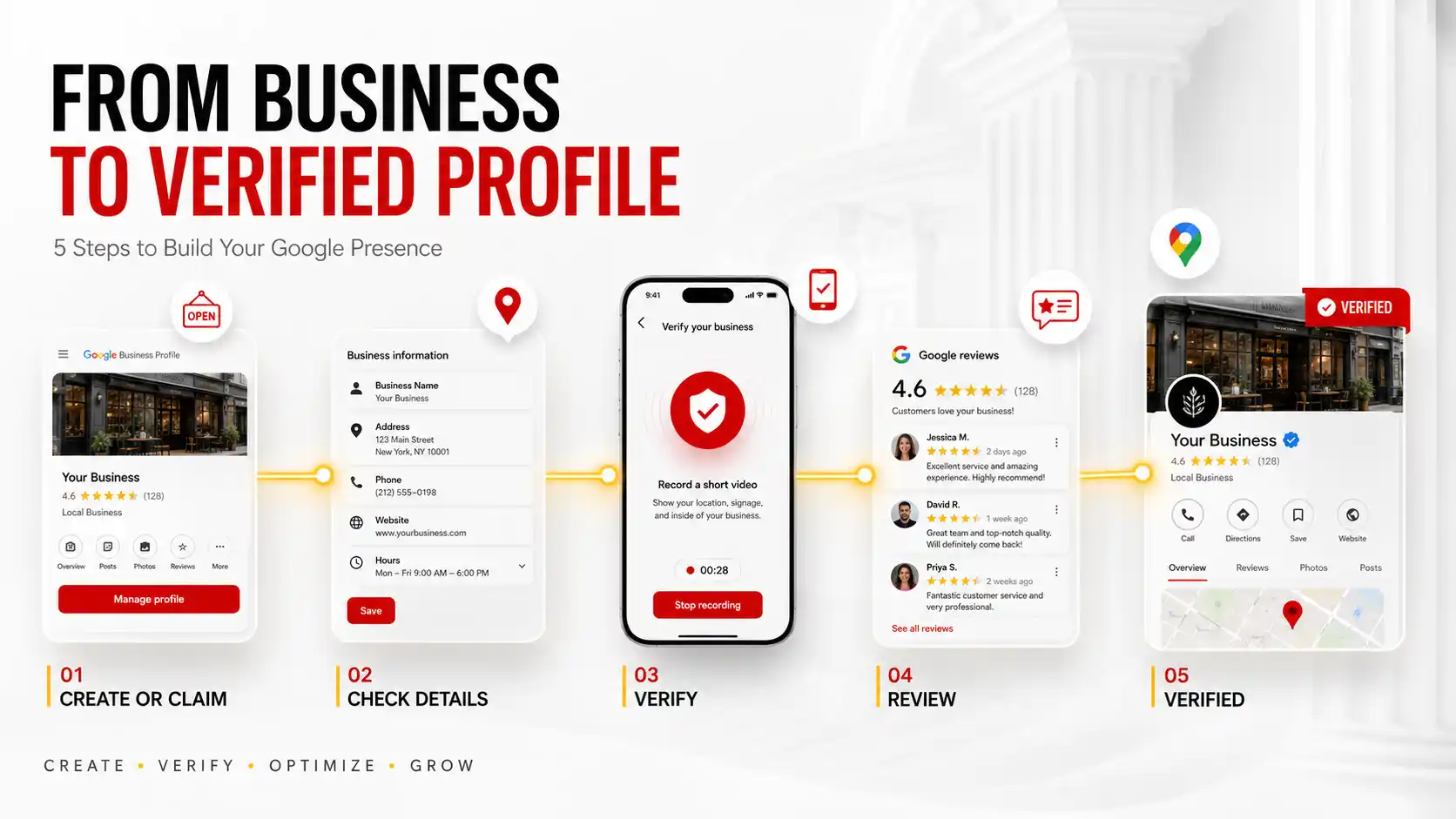
3. Use the Verification Method Google Provides
A common misconception is that every business can choose whichever verification method it prefers. Google determines which methods are available for an individual profile.
Depending on eligibility, options may include:
- Video recording
- Phone or text message
- Live video call
- Mail or postcard where available
Some businesses may need to complete more than one verification method.
Do not rely on outdated tutorials promising a particular verification option. Always follow the options displayed directly within your Business Profile.
4. Prepare Properly for Video Verification
Video verification is important for many businesses. Google may ask you to demonstrate your business location, operations and authority to manage the company.
Google’s current guidance states that a verification recording must be an unedited, unique and continuous recording. It must be recorded and uploaded from a mobile device through the Business Profile.
What should your verification video demonstrate?
The exact evidence depends on the business type, but you may need to demonstrate:
- Your business location
- Nearby signs or identifiable surroundings
- Permanent business signage
- Products or equipment used by the business
- Branded materials
- Access to areas available only to staff
- Evidence that you manage the business
Service area businesses may need to demonstrate tools, equipment, branded vehicles or other evidence showing that the company genuinely operates.
Do not include private financial information, identification numbers or other sensitive personal information in your recording.
5. Understand Phone, Email and Other Verification Options
Some profiles may receive phone, SMS or email verification options.
If phone verification is available, make sure the listed business number can receive the required call or text. If email verification appears, you must have access to the email address shown during the process.
Live video calls may also be available for certain businesses. During a live call, you may be asked to show your current location, business equipment and evidence that you manage the company.
Postcard verification can still be available in some circumstances, but it is not offered to every business.
The key principle is simple: use the verification method Google provides rather than attempting to force a different option.
6. Allow Time for Google’s Verification Review
Submitting the requested evidence does not always produce instant approval.
Google currently states that after completing verification steps, review can take up to five business days. Some profiles may be verified sooner.
During this period, avoid making unnecessary changes to important profile information.
If you are using postcard verification and that option is available, Google specifically warns against changing the business name, address or category while waiting for the code because this can invalidate the process.
7. Fix Google Business Profile Verification Problems
Verification can fail when Google cannot establish enough evidence connecting the business, location and person attempting to manage it.
Common issues include:
- Incorrect business information
- Insufficient video evidence
- Unclear signage
- Address problems
- Duplicate profiles
- Ownership conflicts
- Major profile changes during verification
- Using information that does not accurately represent the business
What happens if video verification is rejected?
If Google displays a review issue after video verification, review the stated problem and record a new video that clearly meets the requirements.
Do not repeatedly submit the same inadequate evidence. Identify what Google could not confirm and provide clearer evidence in the next attempt.
What if another person owns the listing?
Request access through Google’s ownership process. Creating another listing for the same business can introduce duplicate profile problems.
8. Optimize Your Profile After Verification
Verification is only the beginning. After Google Business Profile Verification Hyderabad is complete, improve the usefulness of the listing for potential customers.
Review:
- Primary and secondary categories
- Business description
- Operating hours
- Telephone and website information
- Services
- Products where applicable
- Photographs
- Customer reviews
- Business updates
Complete information helps Google understand how relevant your business may be to a search. Google’s local ranking documentation specifically recommends providing complete and detailed business information.
Businesses wanting professional assistance can combine profile management with SEO Services to strengthen their wider organic search presence.
9. Connect Google Business Profile Verification With Local SEO
Successful Google Maps Optimization Hyderabad extends beyond verification.
Your profile should be supported by a trustworthy website, consistent business information, genuine customer reviews and relevant local content.
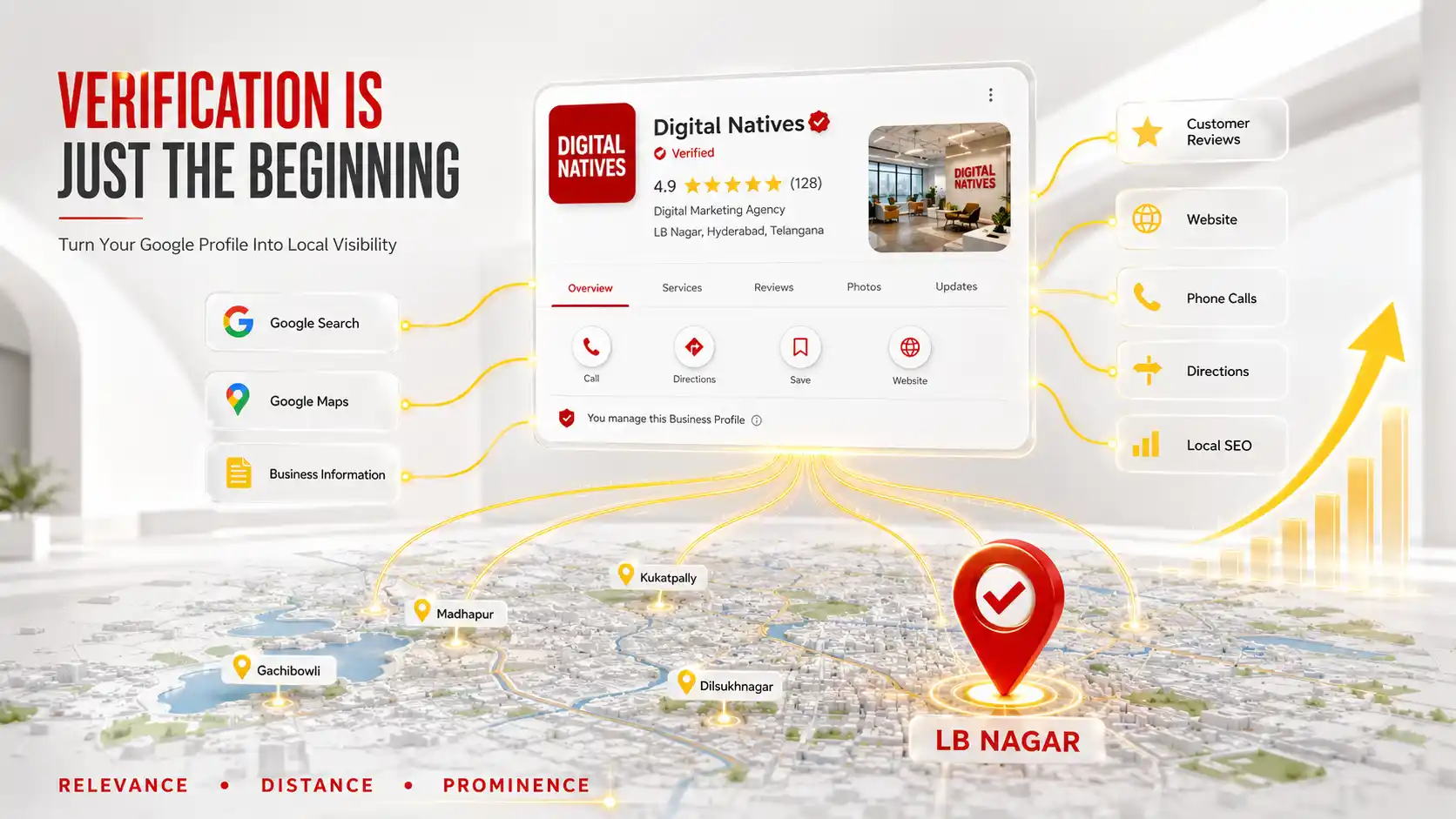
Google explains that local ranking considers three main concepts:
- Relevance: How closely the profile matches the customer’s search
- Distance: How far the business is from the searcher or specified location
- Prominence: How well known the business is based on available signals
This is why businesses should avoid promises of guaranteed Google Maps positions.
A Local SEO Expert Hyderabad should focus on sustainable improvements such as accurate profile information, relevant website pages, customer experience, citations and organic authority.
Build Strong Website Signals Around Your Business Profile
Your Business Profile should connect to a professional website that confirms who you are, what you offer and where you operate.
The website should include:
- Consistent company information
- Detailed service pages
- Clear contact information
- Useful original content
- Mobile friendly design
- Fast loading pages
- Customer proof and genuine project examples
If your website needs improvement, review Digital Natives’ Website Development Services in Hyderabad.
Businesses should also follow Google Search Central’s people first content guidance when developing service and location content.
Common Google Business Profile Verification Mistakes
Avoid these mistakes during Google Business Profile Verification Hyderabad:
- Creating multiple profiles for one business
- Using a fake business address
- Adding unnecessary keywords to the business name
- Submitting unclear video evidence
- Failing to show proof of business operations
- Changing important information during verification
- Sharing verification codes with unauthorized people
- Using outdated verification tutorials
- Creating another profile when ownership is disputed
- Expecting verification to guarantee rankings
Google Business Profile Verification Checklist
- Confirm that the business is eligible for a profile
- Search Google for an existing listing
- Claim the existing profile instead of creating duplicates
- Use the official business name
- Confirm the correct address or service area
- Select the most accurate category
- Prepare evidence showing genuine operations
- Follow the verification option displayed by Google
- Record clear evidence if video verification is required
- Wait for Google’s review
- Resolve ownership or duplicate issues properly
- Complete the profile after approval
- Keep information accurate
- Build genuine customer reviews
- Connect the profile with relevant website content
Google Business Profile Verification Hyderabad: Final Thoughts
Google Business Profile Verification Hyderabad provides eligible businesses with the foundation needed to properly manage their presence across Google Search and Maps.
The safest approach is to use accurate business information, follow the verification method provided by Google and supply clear evidence demonstrating genuine operations and management authority.
After verification, focus on sustainable growth. Complete your profile, publish accurate services, earn genuine customer reviews, improve your website and strengthen local relevance.
Businesses in LB Nagar, Dilsukhnagar, Gachibowli, Madhapur, Kukatpally, Hitech City and other Hyderabad areas should treat verification as the beginning of a broader local search strategy rather than the final goal.
How do I verify my Google Business Profile in Hyderabad?
Find or claim your Business Profile and select the verification option Google provides. Depending on eligibility, Google may offer video recording, phone, SMS, email, live video or mail verification.
How long does Google Business Profile verification take?
Google states that after completing the required verification steps, its review can take up to five business days. Some businesses may be verified sooner.
Can I choose my Google Business Profile verification method?
No. Google automatically determines which verification methods are available based on factors including business type, public information, region and operating circumstances.
Why was my Google Business Profile video verification rejected?
A video may be rejected when it does not provide sufficient evidence of the business location, operations or management authority. Review Google’s stated issue and submit a new recording that clearly demonstrates the required information.
Does Google Business Profile verification improve Google Maps rankings?
Verification allows you to properly manage your profile, but it does not guarantee rankings. Google says local results are primarily based on relevance, distance and prominence.
Need Help With Your Google Business Profile?
Build a stronger local presence with accurate profile setup, local SEO, website optimization and a strategy designed around genuine customer searches.
Digital Natives helps businesses across Hyderabad and Telangana improve their visibility across Google Search and Google Maps.
- Company: Digital Natives
- Phone: +91 9052666707
- Email: info@digitalnatives.co.in
- Location: LB Nagar, Hyderabad
- Service Area: Hyderabad and Telangana