How to Improve Core Web Vitals in 2026: Complete SEO Guide
A website can have attractive design, valuable content and strong search optimization, but visitors can still leave when pages load slowly, buttons respond late or content unexpectedly moves while they are trying to read it.
This is exactly why businesses need to understand how to improve Core Web Vitals.
Core Web Vitals are Google’s metrics for measuring important aspects of real user experience. They focus on loading performance, responsiveness and visual stability.
In 2026, the three Core Web Vitals are Largest Contentful Paint, Interaction to Next Paint and Cumulative Layout Shift.
For businesses competing across Hyderabad, including LB Nagar, Dilsukhnagar, Gachibowli, Madhapur, Kukatpally and Hitech City, website performance can influence far more than technical scores. A faster and more stable experience can make it easier for visitors to explore services, read content, submit enquiries and contact the business.
This guide explains what each Core Web Vital measures, Google’s recommended targets, how to diagnose performance problems and practical ways to improve website experience.
What Are Core Web Vitals?
Core Web Vitals are a set of metrics designed to measure important parts of the real user experience on a webpage.
The current metrics are:
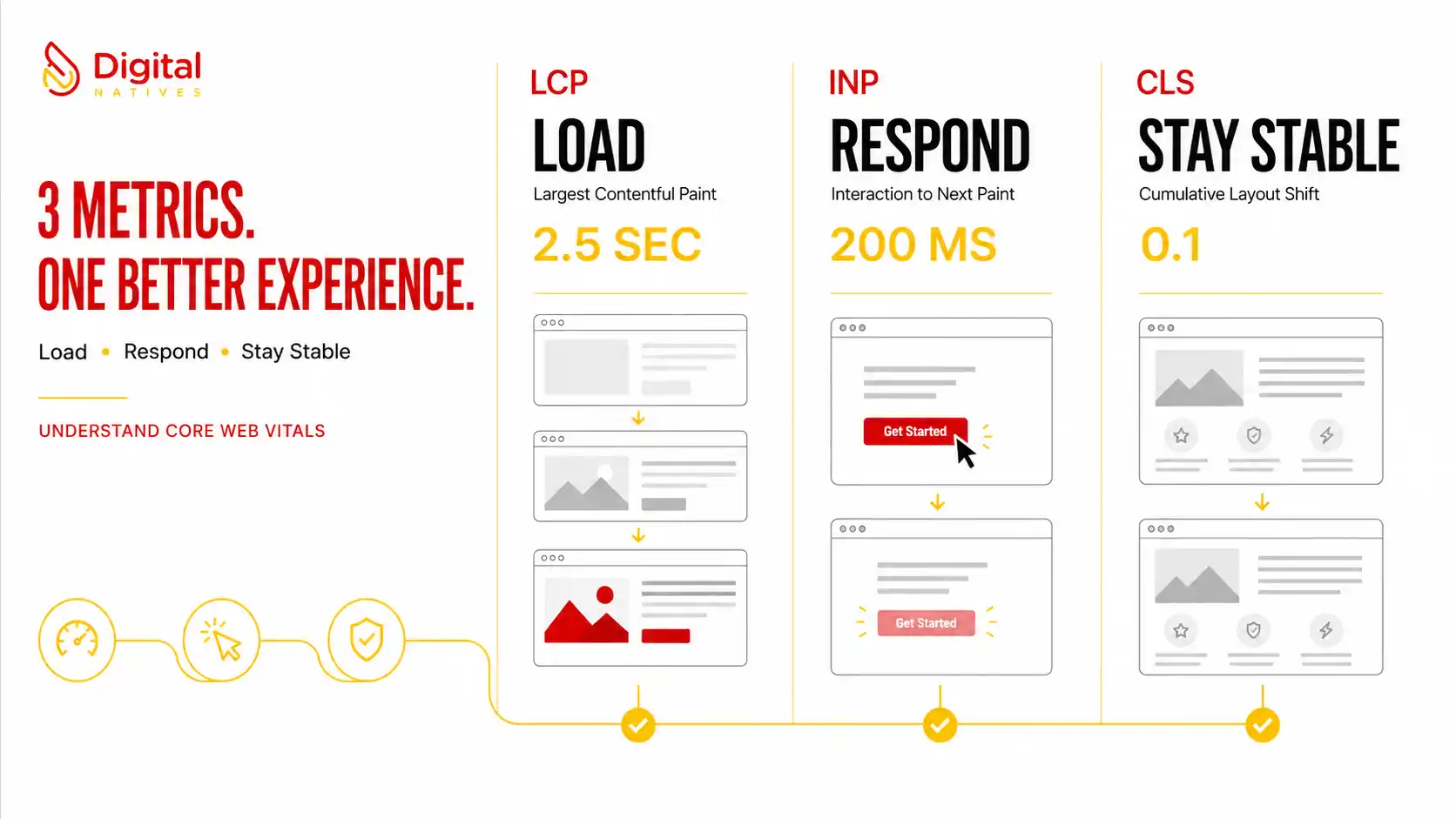
- LCP: Largest Contentful Paint measures loading performance.
- INP: Interaction to Next Paint measures responsiveness.
- CLS: Cumulative Layout Shift measures visual stability.
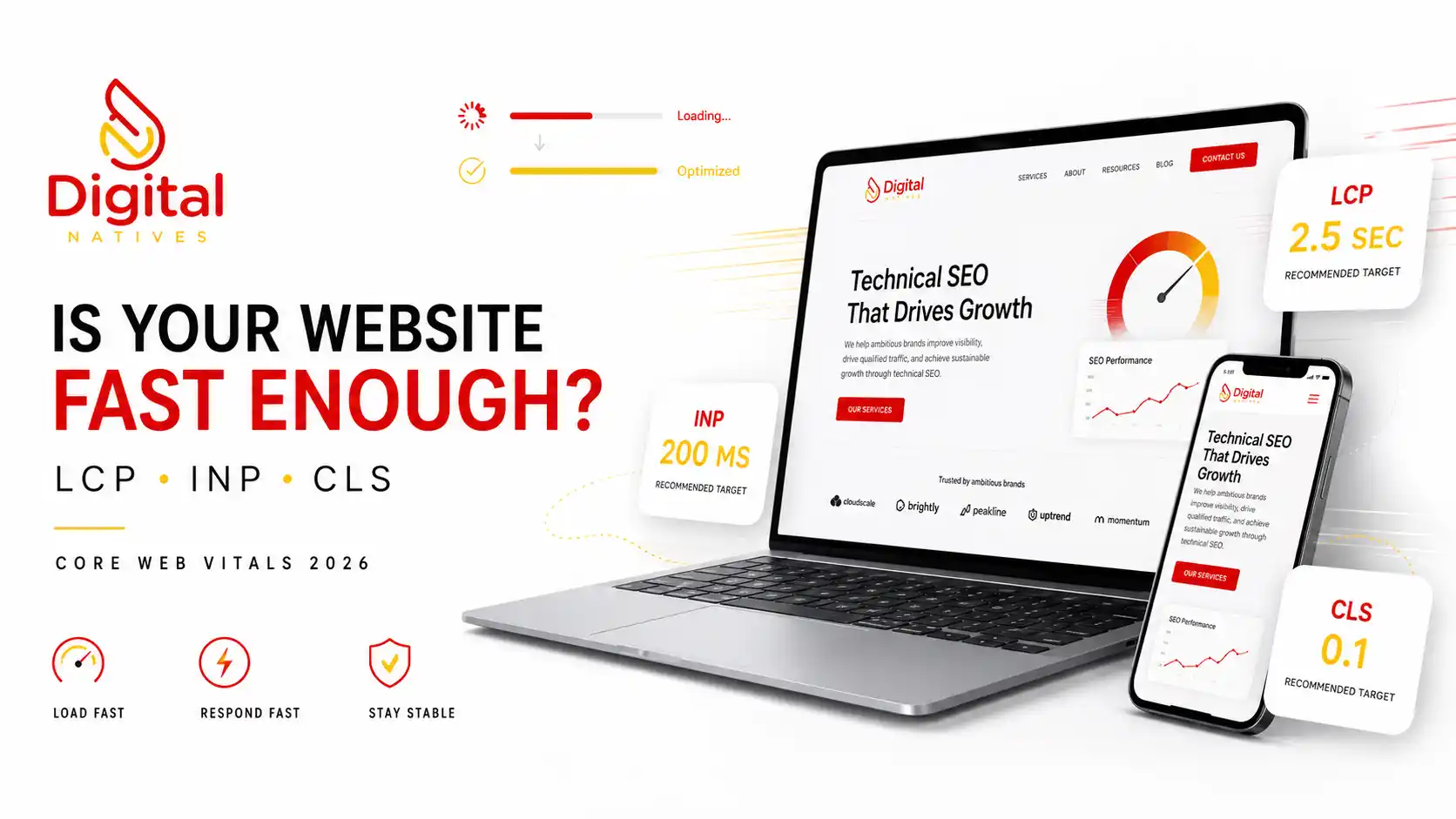
For a good experience, Google recommends an LCP within 2.5 seconds, INP below 200 milliseconds and CLS below 0.1.
Performance should be evaluated using the 75th percentile of page loads, considered separately for mobile and desktop users.
What Are the Core Web Vitals in 2026?
Largest Contentful Paint
Largest Contentful Paint measures how quickly the main visible content loads.
On many websites, the LCP element may be a large hero image, prominent heading area or another significant content element visible near the top of the page.
Good target: 2.5 seconds or less.
Interaction to Next Paint
Interaction to Next Paint measures how responsive a page is when a visitor interacts with it.
Examples can include clicking a button, selecting an interface element or interacting with navigation.
Good target: below 200 milliseconds.
Cumulative Layout Shift
Cumulative Layout Shift measures unexpected movement of visible content.
For example, a visitor might try to click a button just as an image loads and pushes that button somewhere else.
Good target: below 0.1.
Why Do Core Web Vitals Matter for SEO?
Google recommends achieving good Core Web Vitals both for Search success and for providing a better user experience.
Core Web Vitals are used by Google’s ranking systems, but they should not be viewed as a shortcut to rankings.
Google specifically explains that obtaining good Core Web Vitals scores does not guarantee top positions.
Search success still requires useful content, relevance, authority and other signals.
The better way to think about Core Web Vitals SEO is that performance supports a complete search experience.
A useful page should not only answer the customer’s question. It should also load efficiently, respond quickly and remain visually stable while the customer uses it.
How to Measure Core Web Vitals
Optimization should begin with measurement rather than assumptions.
Useful tools include:
- Google Search Console
- PageSpeed Insights
- Chrome DevTools
- Lighthouse
- Chrome User Experience Report
Google recommends using the Core Web Vitals report in Search Console to understand how pages perform.
PageSpeed Insights can also help identify specific technical opportunities.
Field data versus lab data
Understanding this difference is important.
Field data represents experiences collected from real users under real conditions.
Lab testing runs a controlled performance test and can be particularly useful for diagnosing technical problems.
A page can therefore perform differently in a Lighthouse test compared with the experience represented by real user data.
How to Improve Largest Contentful Paint
If LCP is slow, identify the actual LCP element before making changes.
Common causes can include slow servers, large images, render blocking resources and delayed resource discovery.
Optimize the main image
If the largest visible element is an image, make sure its file size and dimensions are appropriate.
Use modern image formats when suitable and avoid delivering a huge desktop image to a small mobile screen.
Avoid unnecessary delays
Critical above the fold content should be discoverable quickly.
A main hero image should not be unnecessarily delayed by scripts or inappropriate lazy loading.
Reduce render blocking resources
Large CSS files, excessive scripts and third party resources can delay rendering.
Review which resources are truly necessary for the initial view.
Improve hosting performance
A slow server can delay the entire loading sequence.
Evaluate server response, caching and content delivery configuration where relevant.
How to Improve Interaction to Next Paint
INP focuses on responsiveness.
A webpage may appear loaded but still feel frustrating if the browser is too busy to respond quickly to user interactions.
Reduce long JavaScript tasks
Large JavaScript workloads can keep the main thread busy.
Break complex work into smaller tasks where technically appropriate.
Remove unnecessary scripts
Websites frequently accumulate scripts from:
- Analytics platforms
- Chat tools
- Advertising systems
- Tracking tools
- Plugins
- Animations
- Social widgets
Review whether every script provides enough value to justify its performance cost.
Optimize event handling
Complex event handlers can delay the browser’s ability to present the next visual update.
Developers should identify expensive interactions and reduce unnecessary processing.
Keep the main thread available
A responsive website needs enough main thread availability to process user interactions quickly.
This is particularly important on mobile devices with less processing power.
How to Improve Cumulative Layout Shift
CLS problems occur when visible content moves unexpectedly.
Reserve space for images
Define image dimensions so the browser can reserve the correct amount of space before the image finishes loading.
Reserve space for embeds
Videos, maps, advertisements and other embedded elements can create layout movement when dimensions are unknown.
Create appropriate containers before these elements load.
Be careful with dynamically inserted content
A banner appearing above existing content can push the entire page downward.
Plan dynamic components so they do not unexpectedly displace content the visitor is already using.
Review font behavior
Font changes can sometimes alter text dimensions and contribute to visual movement.
Optimize font delivery and fallback behavior carefully.
Optimize Images Across the Website
Images frequently account for a significant portion of webpage resources.
For Website Speed Optimization Hyderabad, image optimization should include:
- Correct dimensions
- Appropriate compression
- Responsive image delivery
- Modern formats where suitable
- Lazy loading for appropriate images
- Explicit dimensions
Do not automatically lazy load every image.
An important above the fold image may need to load early, especially when it is the LCP candidate.
Reduce Unnecessary JavaScript
JavaScript can create sophisticated experiences, but excessive execution can negatively affect performance.
Audit:
- Unused JavaScript
- Third party scripts
- Heavy animation libraries
- Duplicate tracking scripts
- Unused plugin assets
- Large bundles
Performance optimization does not necessarily mean removing useful functionality.
The objective is to deliver required functionality efficiently.
Improve Server and Delivery Performance
The browser cannot render important resources before receiving them.
Consider:
- Quality hosting
- Page caching
- Browser caching
- Efficient backend processing
- Database optimization
- Content delivery networks where appropriate
- Compression
A technically optimized front end can still feel slow if the backend takes too long to respond.
Optimize Web Fonts
Typography contributes to brand experience, but excessive font files can add unnecessary network requests.
Review the number of:
- Font families
- Font weights
- Font styles
- External requests
Load only the variants the design actually requires.
Consider appropriate font loading strategies and reliable fallback fonts.
Prioritize Mobile Website Performance
Do not assume a website that feels fast on an office desktop will perform equally well for every customer.
Real visitors use different devices and network conditions.
A potential customer in LB Nagar may be browsing on a midrange smartphone using mobile data. Another customer in Gachibowli may be connected to high speed office WiFi.
The website needs to remain useful across realistic conditions.
Review mobile:
- Navigation
- Hero sections
- Images
- Forms
- Buttons
- Animations
- Popups
- Third party scripts
This is particularly important for Hyderabad businesses relying on mobile enquiries, calls and WhatsApp interactions.
How to Improve Core Web Vitals on WordPress
WordPress itself does not automatically create poor Core Web Vitals.
Problems often arise from the combined implementation of themes, plugins, images, hosting, page builders and third party integrations.
Audit plugins
Remove plugins that are no longer required.
Do not install several plugins that perform the same function.
Review your theme
A visually impressive theme can still introduce excessive assets.
Evaluate the actual CSS and JavaScript delivered to visitors.
Configure caching carefully
Appropriate caching can reduce repeated processing and improve delivery.
Optimize the database
Large or poorly maintained databases can affect backend performance on some sites.
Test after every significant change
Performance plugins can occasionally conflict with themes, forms, ecommerce functions or JavaScript behavior.
Never assume that enabling every optimization option is automatically safe.
Core Web Vitals and SEO in 2026
Core Web Vitals should be treated as part of a broader technical and content strategy.
Google’s page experience guidance explains that its core ranking systems seek to reward content providing a good overall page experience.
However, there is no single page experience signal.
This means businesses should avoid obsessing over a perfect performance score while ignoring content quality, search intent or customer usefulness.
A successful Technical SEO Hyderabad strategy should combine:
- Helpful content
- Search intent alignment
- Strong internal linking
- Crawlability
- Indexability
- Mobile usability
- Website security
- Core Web Vitals
- Clear navigation
- Good user experience
Businesses wanting broader search optimization can explore Digital Natives SEO Services.
If performance problems are connected to an outdated website architecture, explore Website Development Services in Hyderabad.
Will Perfect Core Web Vitals Guarantee Higher Google Rankings?
No.
Google explicitly states that good Core Web Vitals scores do not guarantee top rankings.
Google Search still aims to show the most relevant content.
A technically perfect page with weak or irrelevant information should not be expected to outperform a highly relevant and useful resource simply because its performance score is higher.
The goal is balance.
Create valuable content and deliver it through a fast, responsive and stable experience.
Should You Aim for a Perfect PageSpeed Score?
A perfect laboratory score should not become the primary business objective.
Focus first on genuine user experience problems and Core Web Vitals thresholds.
Some technically complex websites may require functionality that creates a performance cost.
The correct question is not simply, “Can we reach 100?”
The better question is, “Can customers use this website quickly and reliably while we deliver the functionality the business actually needs?”
How Often Should Core Web Vitals Be Checked?
Website performance should be monitored continuously and reviewed after meaningful website changes.
Check performance after:
- Website redesigns
- Theme changes
- New plugins
- Large content additions
- New tracking scripts
- New advertising tools
- Hosting changes
- Major development releases
A website that performs well today can become slower as new functionality accumulates.
Common Core Web Vitals Optimization Mistakes
- Optimizing only for a perfect Lighthouse score
- Ignoring real user data
- Testing only the homepage
- Testing only desktop devices
- Compressing images without fixing delivery
- Lazy loading important above the fold images
- Installing too many optimization plugins
- Ignoring third party scripts
- Removing useful functionality purely for scores
- Ignoring mobile performance
- Making changes without testing functionality
- Assuming Core Web Vitals guarantee rankings
Core Web Vitals Optimization Checklist
- Check Search Console Core Web Vitals
- Test representative pages in PageSpeed Insights
- Identify the LCP element
- Optimize important images
- Review server response performance
- Reduce unnecessary JavaScript
- Review third party scripts
- Reserve dimensions for images
- Reserve space for embedded content
- Optimize font delivery
- Review mobile layouts
- Audit WordPress plugins
- Configure caching appropriately
- Test forms and interactive elements
- Compare field and lab data
- Monitor performance after website changes
How to Improve Core Web Vitals: Final Thoughts
Learning how to improve Core Web Vitals starts with understanding what real visitors experience.
LCP measures loading performance. INP measures responsiveness. CLS measures visual stability.
The recommended targets are clear: LCP within 2.5 seconds, INP below 200 milliseconds and CLS below 0.1.
But Core Web Vitals should not become an isolated technical exercise.
Businesses in LB Nagar, Dilsukhnagar, Gachibowli, Madhapur, Kukatpally, Hitech City and across Hyderabad need websites that combine useful content, professional design, technical performance and clear conversion paths.
A fast website that does not answer customer questions will struggle. A valuable website that constantly frustrates visitors can also lose opportunities.
The strongest approach brings content quality and technical experience together.
For current technical guidance, consult Google’s official Core Web Vitals documentation.
For broader page experience guidance, review Google’s official page experience documentation.
Developers can also use the official Web Vitals resource for measurement and optimization guidance.
What are the Core Web Vitals in 2026?
The three Core Web Vitals are Largest Contentful Paint for loading performance, Interaction to Next Paint for responsiveness and Cumulative Layout Shift for visual stability.
What is a good LCP score?
Google recommends that Largest Contentful Paint occur within 2.5 seconds of the page beginning to load for a good user experience.
What is a good INP score?
Google recommends an Interaction to Next Paint value below 200 milliseconds for a good user experience.
What is a good CLS score?
Google recommends a Cumulative Layout Shift score below 0.1 for a good user experience.
Do Core Web Vitals affect Google rankings?
Google confirms that Core Web Vitals are used by its ranking systems. However, good Core Web Vitals alone do not guarantee top rankings because relevance, content quality and many other signals also matter.
How can I improve Core Web Vitals on WordPress?
Start by measuring real performance, then optimize images, hosting, caching, themes, plugins, JavaScript, fonts and layout stability. Test important functionality after every major performance change.
Is Your Website Losing Customers Because It Is Too Slow?
Improve website speed, technical SEO, mobile experience and Core Web Vitals with a performance strategy built around real users.
Digital Natives helps businesses create faster websites and stronger organic search experiences across Hyderabad and Telangana.
- Company: Digital Natives
- Phone: +91 9052666707
- Email: info@digitalnatives.co.in
- Location: LB Nagar, Hyderabad
- Service Area: Hyderabad and Telangana