Google Business Profile Verification Hyderabad: Complete 2026 Guide
Creating a Google Business Profile is an important step for an eligible local business, but creating the profile does not always complete the process.
Google may require the business to verify that it genuinely exists and that the person managing the profile is authorized to represent it.
For Hyderabad businesses, verification can sometimes become confusing because Google does not provide the same verification method to every business.
One company may be offered video verification while another may see phone, SMS, email or another available method.
This Google Business Profile Verification Hyderabad guide explains how verification works in 2026, what evidence businesses should prepare, how video verification works and what to do when verification fails.
The guidance is particularly useful for businesses operating from LB Nagar, Dilsukhnagar, Gachibowli, Madhapur, Kukatpally, Hitech City and other areas across Hyderabad and Telangana.
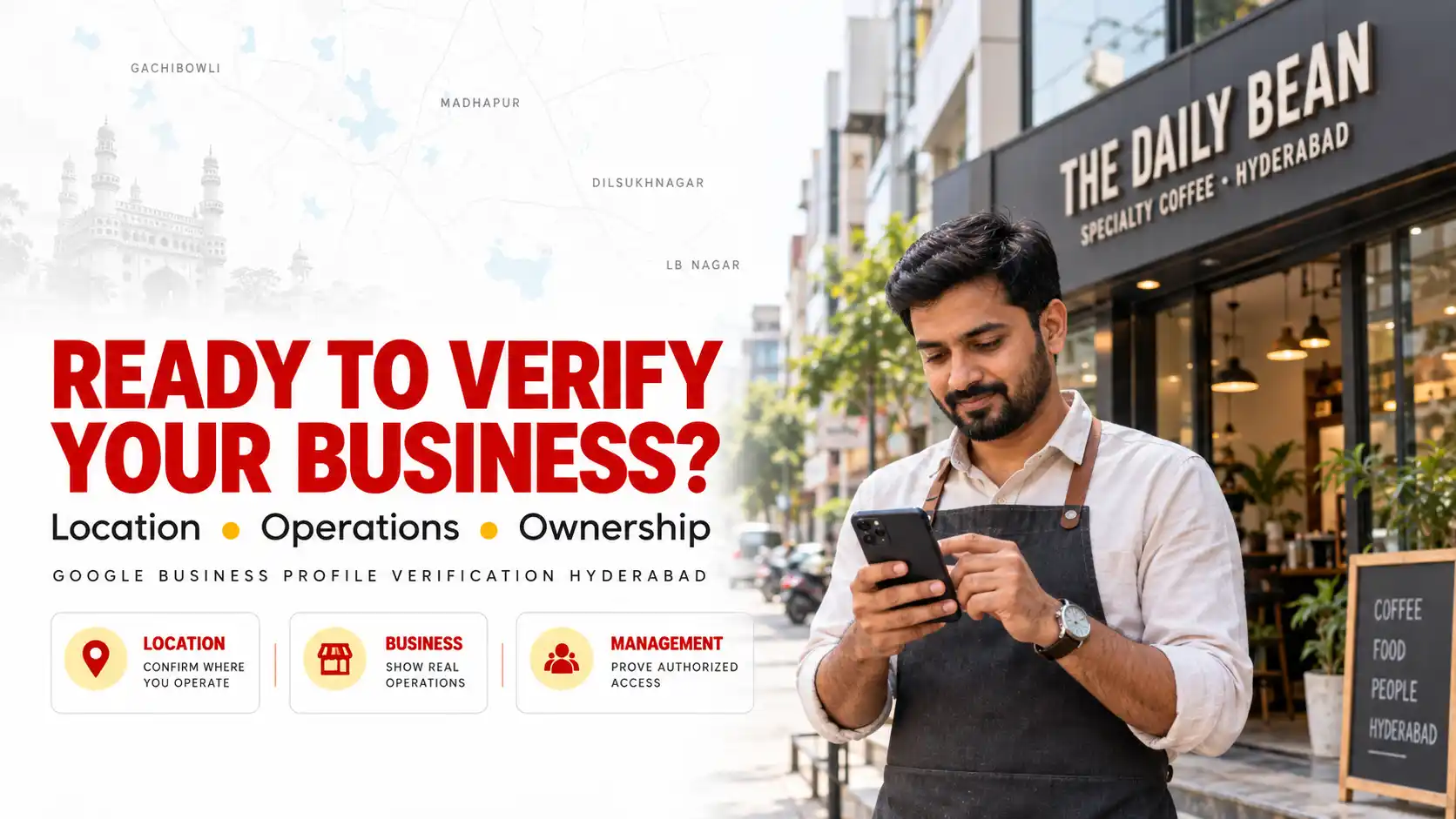
What Is Google Business Profile Verification?
Google Business Profile verification is the process Google uses to confirm that a business is legitimate and that the person requesting control of the profile is authorized to manage or represent it.
Depending on the business, Google may ask for evidence related to:
- The business location
- Business signage
- Tools or equipment
- Products or inventory
- Business documentation
- Access to employee only areas
- Access to business assets
The exact evidence depends on the business type and verification method offered.
Why Does Google Require Business Verification?
Business Profiles appear in highly visible areas of Google Search and Maps.
Incorrect or fraudulent profiles could mislead customers about where a business operates, who owns it or whether the company exists.
Verification provides Google with additional evidence that the profile represents a genuine eligible business.
Only business owners or authorized representatives should verify and manage a Business Profile.
Check Business Profile Eligibility Before Verification
Before troubleshooting verification, make sure the business is eligible for a Google Business Profile.
Google’s current eligibility guidance states that businesses generally need to make in person contact with customers during their stated hours.
Eligible businesses can include:
- Customer facing storefronts
- Service area businesses that travel to customers
- Hybrid businesses that serve customers both at a location and elsewhere
Online only businesses are generally not eligible simply because they want visibility on Google Maps.
Google also identifies some other categories of businesses and locations that are not eligible.
Checking eligibility before attempting verification can prevent unnecessary problems later.
What Google Business Profile Verification Methods Are Available?
Google determines which verification methods are available for an individual profile.
Depending on the business, available methods can include:
- Video recording
- Phone or SMS
- Live video call
- Other methods presented by Google
Businesses with multiple eligible locations may have different verification processes.
For example, eligible businesses with ten or more locations of the same business can potentially use bulk verification processes.
The important point is that you cannot assume your preferred verification option will be available.
Use the method Google presents for your Business Profile.
Can I Choose My Google Business Profile Verification Method?
Usually, you need to use the verification methods Google makes available to your profile.
The available options can vary based on factors associated with the business and profile.
If video verification is the only method displayed, repeatedly changing your business information simply to trigger phone or email verification is not a good strategy.
Instead, prepare the required evidence and complete the available verification process accurately.
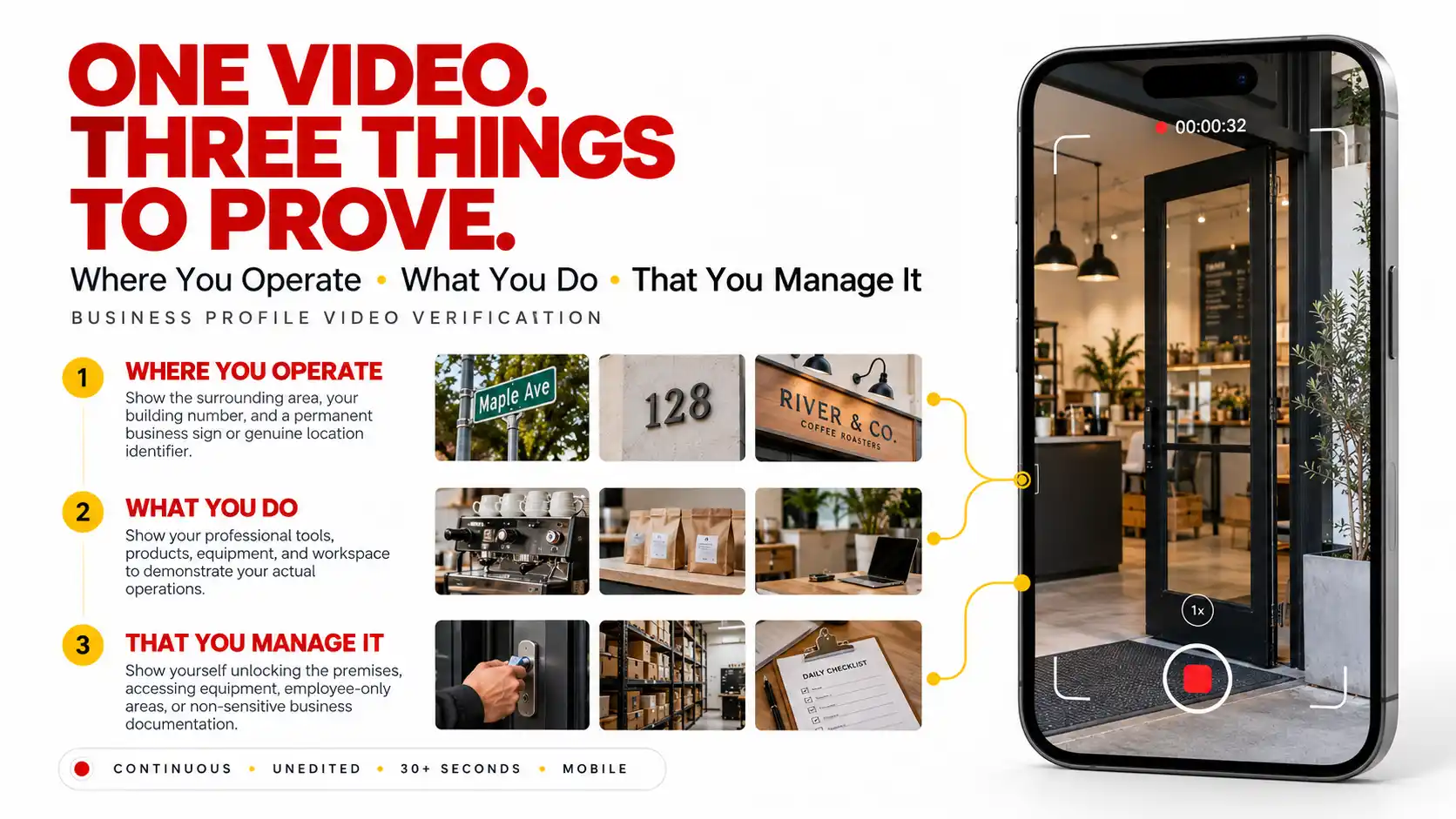
How Does Google Business Profile Video Verification Work?
Video verification has become an important verification method for many businesses.
Google’s current instructions state that the verification video must be:
- A unique recording
- Unedited
- Continuous without breaks
- At least 30 seconds long
- Recorded and uploaded from a mobile device through the Business Profile
You cannot simply create a polished promotional video in advance and upload it as verification evidence.
The recording should demonstrate the genuine business.
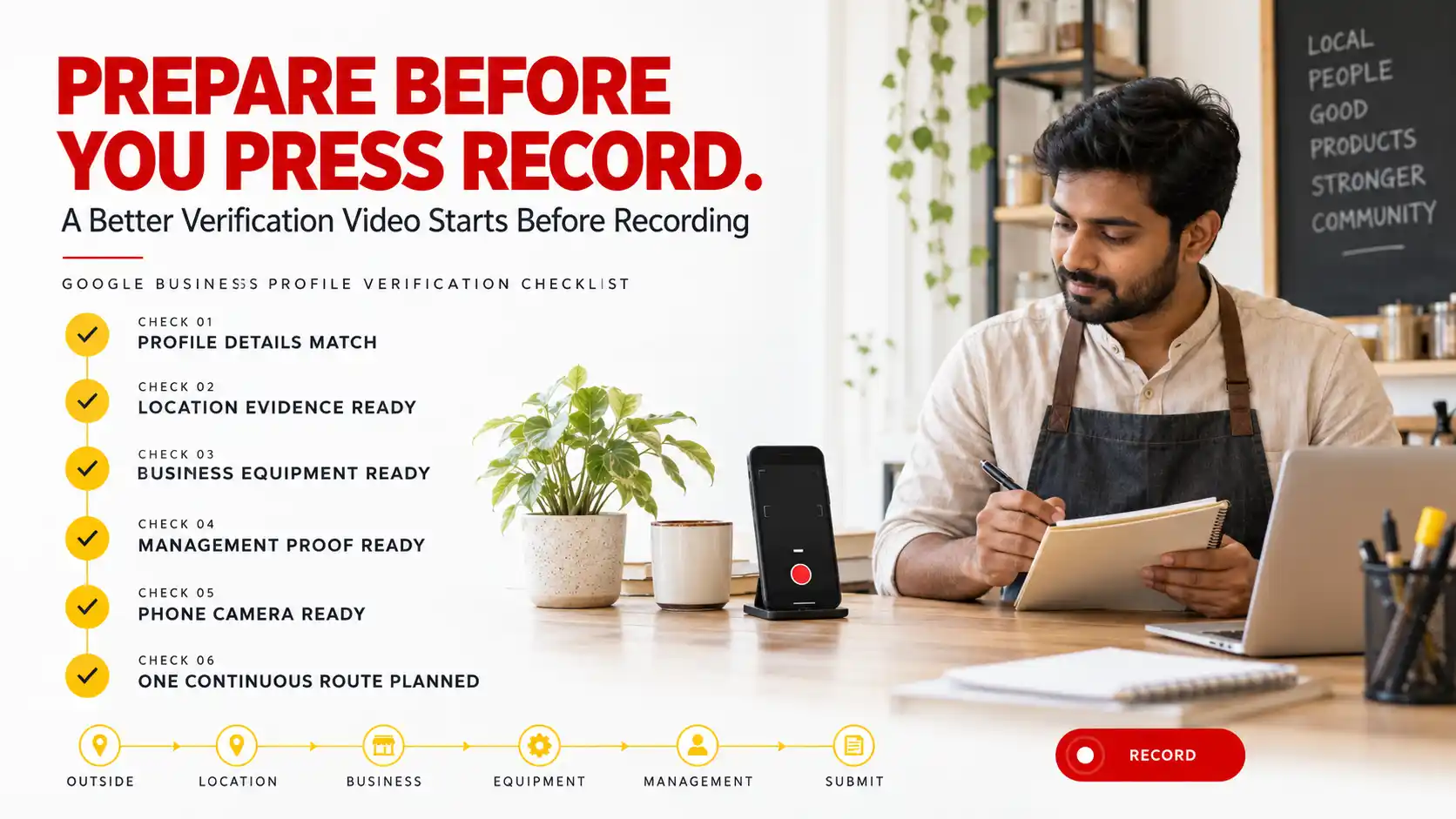
Plan the video before recording
Before pressing the record button, decide what evidence you need to show and in what order.
Your video may need to demonstrate three broad areas:
- Where the business operates
- That a genuine business operates there
- That you manage or represent the business
Planning the route helps you capture these elements in one continuous recording.
Video Verification for a Storefront Business
A storefront business serves customers at its physical location.
For a genuine customer facing location in areas such as LB Nagar, Madhapur or Kukatpally, the verification recording should provide clear evidence connecting the physical premises with the Business Profile.
Depending on the business, useful evidence may include:
- Nearby street information
- Building number
- Permanent business signage
- Business entrance
- Interior workspace
- Products or equipment
- Employee only areas
The business name visible in the video should match the Business Profile.
Demonstrate management
Showing a building alone may not establish that you manage the business.
Google recommends demonstrating access to things only an employee or authorized person would normally control.
Depending on the business, this could include:
- Unlocking the business
- Accessing a storage room
- Using a point of sale system
- Accessing equipment
- Entering an employee only area
The evidence should make sense for your actual business.
Video Verification for Service Area Businesses
Service area businesses require a different approach because customers may never visit the business address.
Examples can include plumbers, electricians, cleaning companies, repair services and other businesses that travel to customers.
If customers do not visit your business location, Google’s current guidance says you should not display that address publicly on your Business Profile.
Show where the business operates
Your video can show location evidence such as:
- Street signs
- Building numbers
- Nearby landmarks
- Other recognizable location identifiers
Show genuine business operations
Depending on the business, show evidence such as:
- Professional tools
- Equipment
- Business supplies
- Workspace
- Branded vehicle
- Relevant marketing materials
Show proof of management
You also need evidence that you manage or represent the business.
For example, you might unlock a work vehicle, access business equipment or show appropriate non sensitive business documentation.
Do not attempt to make a genuine service area business look like a storefront simply for verification.
What Documents Can Help With Google Business Verification?
Depending on the verification process, Google may accept evidence that helps demonstrate the business name and your connection to the business.
Examples mentioned in Google’s video guidance include:
- Business permits
- Invoices
- Utility bills
- Other relevant business documents
The business name shown should correspond with the Business Profile.
Do not expose unnecessary sensitive information during a video.
Google specifically warns against displaying information such as bank account details, tax numbers or identification numbers.
Google Business Profile Verification Hyderabad: Step by Step Process
Step 1: Review your profile
Check your business name, category, address or service area, phone number, website and opening hours before beginning verification.
Step 2: Confirm eligibility
Make sure your business meets Google’s eligibility requirements.
Step 3: Select Get Verified
Access the Business Profile while signed into the Google account that manages it.
Step 4: Review the verification options
Google will display the methods available for that profile.
Step 5: Prepare the required evidence
If video is required, plan the complete recording before starting.
Step 6: Complete verification
Follow the instructions for the method provided.
Step 7: Wait for review when required
Some verification methods may require Google to review the submitted information.
Step 8: Review the profile after verification
Confirm that important information remains accurate before beginning broader optimization.
What Should You Do if Video Verification Is Rejected?
A rejected verification video does not automatically mean the business is permanently ineligible.
First, identify what evidence may have been insufficient.
Common gaps can include:
- Location was not identifiable
- Business activity was not demonstrated
- Management authority was unclear
- Business signage was insufficient for a storefront
- The recording did not meet technical requirements
- Business information did not match the profile
If Google identifies missing evidence, include that evidence when recording again.
Do not simply submit the identical recording repeatedly.
When should you contact support?
Google recommends trying the verification methods available on the profile.
If verification still cannot be completed, Google provides Business Profile support options.
Support may be appropriate when the verification process is technically failing, the upload cannot be completed or you continue experiencing a verification problem after following the stated requirements.
Can Someone Else Verify My Business?
Only owners and authorized representatives should verify or manage the profile.
If you work with an agency, Google requires authorized representatives to work directly with the business owner during verification.
The business owner should understand who has access to the profile and should retain appropriate ownership control.
A legitimate Google Business Profile Expert Hyderabad should never claim a profile without the owner’s express consent.
Should You Create Another Profile if Verification Fails?
Creating another Business Profile is usually not the correct response to a verification problem.
Duplicate profiles can create additional complications.
Instead, determine whether:
- The existing profile is eligible
- The business information is accurate
- The correct account controls the profile
- The required verification evidence is available
Resolve the underlying issue rather than multiplying profiles.
Common Google Business Profile Verification Mistakes
- Using a fake business address
- Creating unnecessary duplicate profiles
- Adding keywords to the real business name
- Using a virtual location that does not meet eligibility requirements
- Showing only the street during video verification
- Showing only business equipment
- Failing to demonstrate management authority
- Recording a video in advance
- Editing the verification video
- Showing sensitive personal information
- Using temporary misleading signage
- Trying to make a service area business appear to be a storefront
- Repeatedly changing profile information to trigger another verification method
- Expecting an agency to bypass Google’s verification requirements
What Should You Do After Google Business Profile Verification?
Verification is not the end of local SEO.
Once verified, review and strengthen the profile carefully.
Priorities can include:
- Confirming accurate categories
- Reviewing operating hours
- Adding genuine services
- Uploading useful business photographs
- Building a genuine review process
- Responding professionally to reviews
- Connecting the correct website
- Monitoring profile information
Businesses that need ongoing profile support can explore Digital Natives Google Business Profile Services.
Does Google Business Profile Verification Improve Rankings?
Verification is necessary to fully manage eligible Business Profiles, but verification itself should not be treated as a guaranteed ranking boost.
Google explains that local results are primarily based on relevance, distance and prominence.
After verification, businesses should concentrate on legitimate local optimization rather than expecting the verified status alone to produce top Maps positions.
A broader strategy can include:
- Accurate Business Profile information
- Useful website content
- Technical SEO
- Genuine reviews
- Local relevance
- Business prominence
For broader organic visibility, businesses can also explore Digital Natives SEO Services.
Google Business Profile Verification for Hyderabad Businesses
Businesses across Hyderabad can face different verification requirements even when they operate in similar industries.
A salon in LB Nagar, a professional service company in Gachibowli, a restaurant in Madhapur, a service provider in Dilsukhnagar or a retail business in Kukatpally may not necessarily receive identical verification options.
Businesses operating around Hitech City may also have office environments where permanent signage and access arrangements differ from traditional street facing storefronts.
The key is to represent the genuine business rather than trying to design the business around the verification process.
Your Business Profile should reflect how customers actually interact with the company.
Google Business Profile Verification Checklist
- Confirm that the business is eligible
- Use the genuine business name
- Select an accurate business category
- Enter genuine location information
- Configure service areas correctly where applicable
- Use an active business phone number
- Use the correct website
- Confirm operating hours
- Sign into the correct Google account
- Review the verification method offered
- Prepare location evidence
- Prepare business operation evidence
- Prepare proof of management
- Plan video verification before recording
- Record the video continuously
- Do not edit the video
- Avoid exposing sensitive information
- Review any rejection reason carefully
- Do not create unnecessary duplicate profiles
- Optimize the profile after successful verification
Google Business Profile Verification Hyderabad: Final Thoughts
Google Business Profile Verification Hyderabad should be approached as a process of proving that a real eligible business exists and that the person managing its profile is authorized to do so.
Do not search for verification shortcuts.
Make sure your profile accurately represents the business, prepare appropriate evidence and follow the verification method Google provides.
For video verification, focus on three questions.
Can Google identify where the business operates?
Can Google see that a genuine business operates there?
Can Google see that you manage or represent the business?
Businesses across LB Nagar, Dilsukhnagar, Gachibowli, Madhapur, Kukatpally, Hitech City and wider Hyderabad can reduce unnecessary verification problems by getting these fundamentals right before beginning the process.
For Google’s current verification requirements, review the official Google Business Profile verification guidance.
For video requirements, review the official Google video verification guide.
For eligibility requirements, review the official Google Business Profile eligibility guidelines.
How do I verify my Google Business Profile in Hyderabad?
Access your Business Profile while signed into the account that manages it, select the verification option and follow the method Google makes available. Depending on the profile, this can include video recording, phone, SMS, email, live video or another available method.
How long should a Google Business Profile verification video be?
Google’s current video verification instructions require the recording to be at least 30 seconds long. It must be unique, continuous, unedited and recorded and uploaded through the Business Profile from a mobile device.
Can I upload a prerecorded verification video?
No. Google’s current instructions state that the verification footage must be captured live. A prerecorded video cannot simply be uploaded later as the verification recording.
What should I show in a Google Business Profile verification video?
The evidence depends on the business type. Generally, the recording should establish the business location, demonstrate genuine business operations and provide evidence that you manage or represent the business.
Can a service area business complete video verification?
Yes. Google provides video verification guidance for service area businesses. The recording can show location identifiers, relevant tools or equipment and evidence demonstrating that you manage or represent the business.
Can I choose phone verification instead of video verification?
You generally need to use the verification options Google makes available for your individual Business Profile. Phone, SMS, email and other options are not necessarily offered to every business.
Can Digital Natives help with Google Business Profile verification in Hyderabad?
Digital Natives provides Google Business Profile setup, optimization and local SEO assistance for businesses across Hyderabad and Telangana. Verification itself remains subject to Google’s eligibility, evidence and verification requirements.
Need Help Preparing Your Google Business Profile?
A correctly configured profile can reduce avoidable problems during verification and provide a stronger foundation for local SEO after verification.
Digital Natives helps eligible businesses across Hyderabad and Telangana with Google Business Profile setup, optimization and local search strategy.
- Company: Digital Natives
- Phone: +91 9052666707
- Email: info@digitalnatives.co.in
- Location: LB Nagar, Hyderabad
- Service Area: Hyderabad and Telangana