How to Improve Core Web Vitals in 2026: Complete Guide for Hyderabad Businesses
A website can look impressive and still frustrate potential customers if it loads slowly, responds late when someone taps a button, or suddenly moves content while the visitor is trying to read it.
This is where Core Web Vitals become important.
Businesses trying to understand how to improve Core Web Vitals should focus on real user experience rather than chasing a perfect performance score. Core Web Vitals measure important aspects of loading performance, responsiveness and visual stability.
For businesses across Hyderabad, including LB Nagar, Dilsukhnagar, Madhapur, Gachibowli, Kukatpally and Hitech City, website performance can directly influence how easily potential customers can browse services, read content, complete enquiry forms and contact the business.
This guide explains what Core Web Vitals are, the current recommended thresholds and practical ways to improve LCP, INP and CLS in 2026.
How Do You Improve Core Web Vitals?
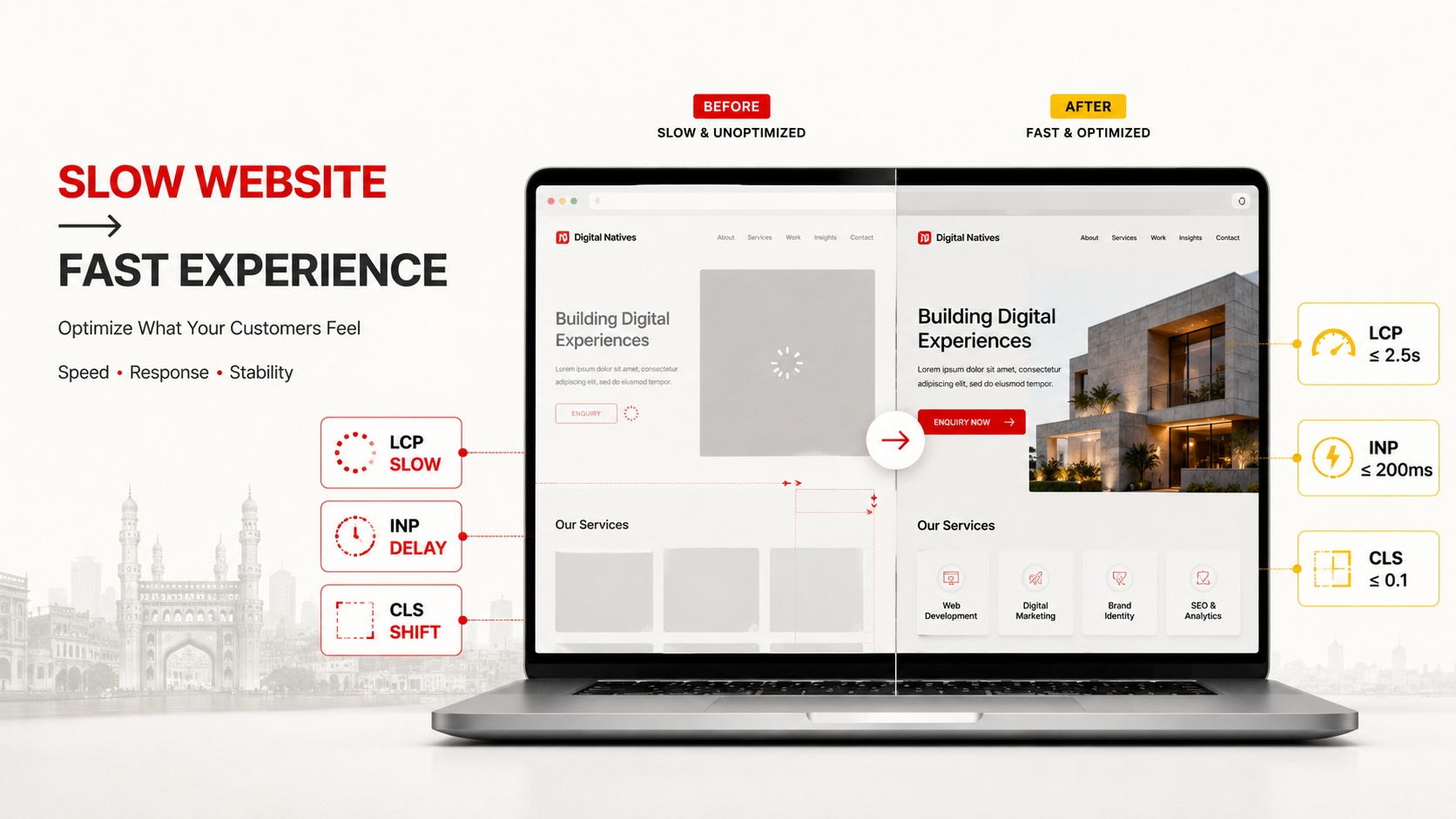
To improve Core Web Vitals, optimize large images, reduce server response time, prioritize important above the fold resources, reduce unnecessary JavaScript, improve interaction responsiveness, reserve dimensions for images and advertisements, optimize fonts and regularly measure real user performance.
A good optimization strategy should focus on the three current Core Web Vitals:
- Largest Contentful Paint: loading performance
- Interaction to Next Paint: responsiveness
- Cumulative Layout Shift: visual stability
Optimization should be based on actual performance data rather than installing multiple optimization plugins and hoping the website becomes faster.
What Are Core Web Vitals?
Core Web Vitals are metrics designed to measure important aspects of the experience real visitors receive when using a web page.
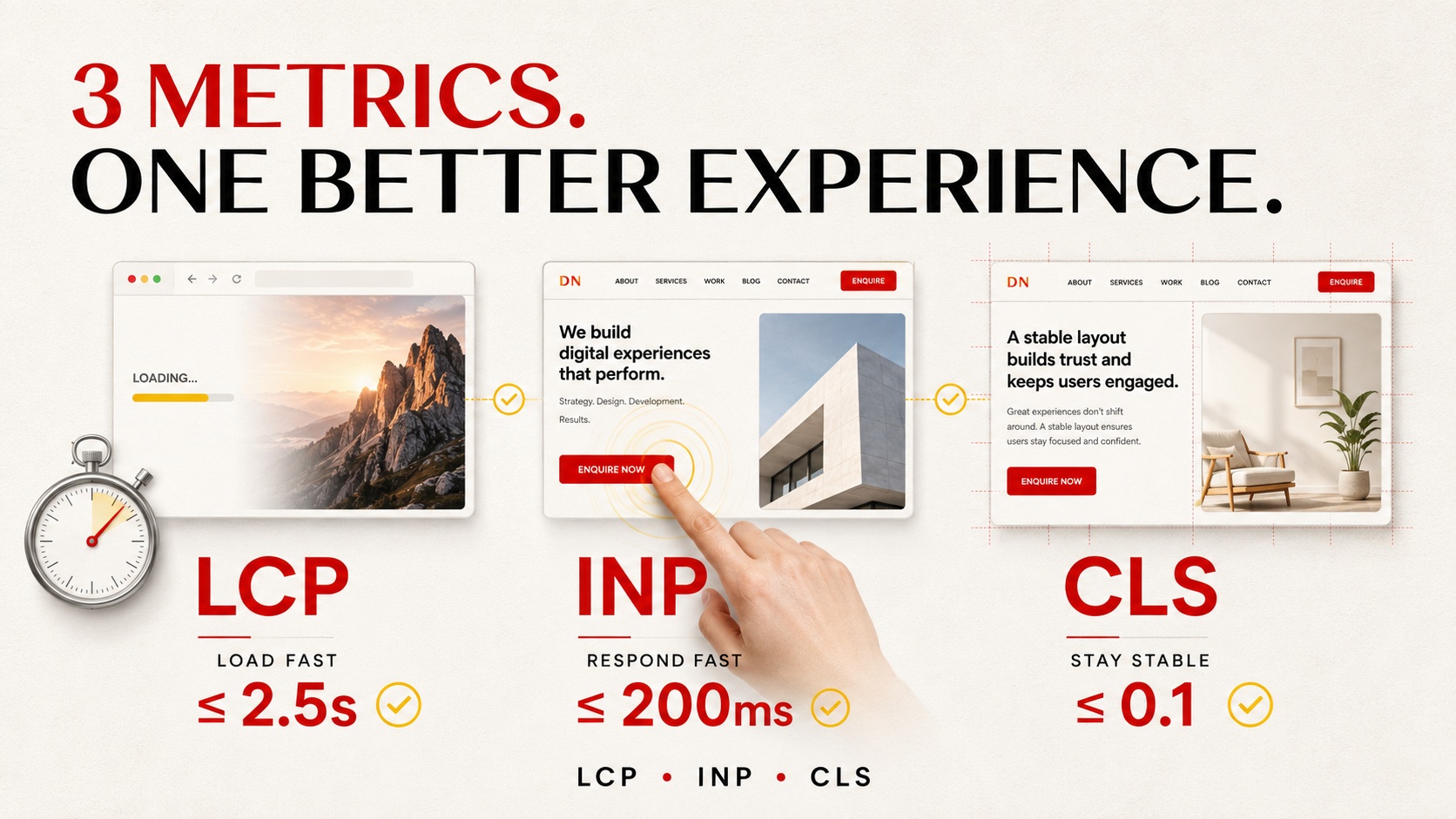
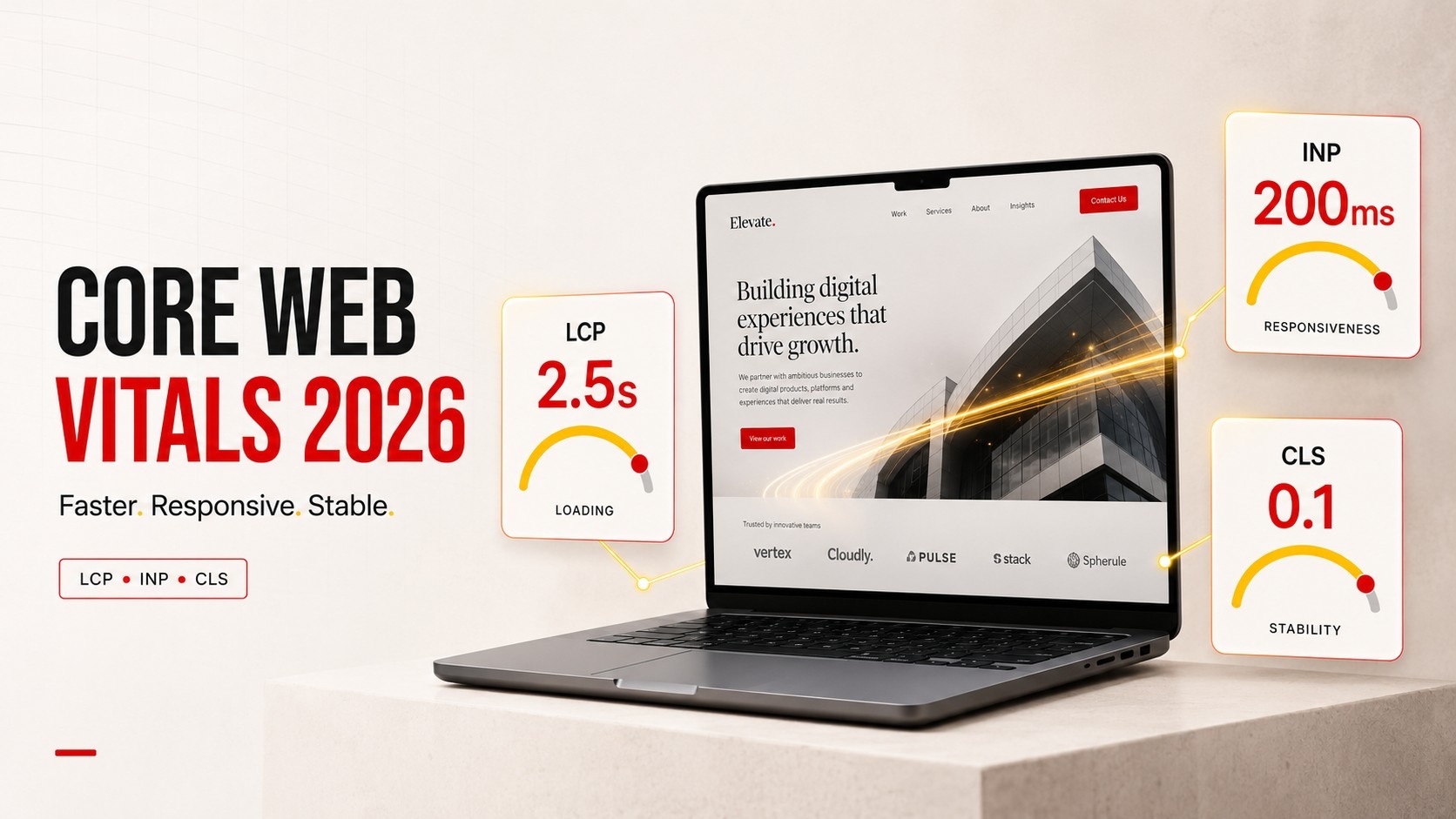
The three Core Web Vitals are LCP, INP and CLS.
Largest Contentful Paint
Largest Contentful Paint, commonly called LCP, measures loading performance. It identifies when the largest relevant image, text block or other supported content visible in the viewport has rendered.
Interaction to Next Paint
Interaction to Next Paint, or INP, evaluates page responsiveness. It considers how quickly a page provides visual feedback after user interactions such as clicks, taps and keyboard input.
Cumulative Layout Shift
Cumulative Layout Shift, or CLS, evaluates visual stability. It measures unexpected movement of visible page elements.
A visitor should not attempt to press one button only to have the layout move and cause them to select something else.
What Are Good Core Web Vitals Scores in 2026?
Current recommended good thresholds are:
| Metric | Measures | Good Threshold |
|---|---|---|
| LCP | Loading performance | 2.5 seconds or less |
| INP | Responsiveness | 200 milliseconds or less |
| CLS | Visual stability | 0.1 or less |
These thresholds are generally evaluated at the 75th percentile of page visits. This helps website owners understand the experience received by most visitors rather than relying on a single test performed on a fast office connection.
You can review Google’s official Core Web Vitals threshold guidance for additional technical information.
How to Measure Core Web Vitals Correctly
Before optimizing anything, identify the actual problem.
Useful tools include:
- Google PageSpeed Insights
- Google Search Console
- Chrome UX Report data
- Chrome DevTools
- Lighthouse
Real user data and laboratory testing serve different purposes.
Field data represents experiences collected from actual users where sufficient data is available. Laboratory tools simulate page loading under controlled conditions and are useful for diagnosing technical problems.
A strong Core Web Vitals Optimization Hyderabad strategy should use both rather than relying entirely on a single Lighthouse score.
1. Improve Largest Contentful Paint
LCP is often influenced by the most prominent content visible when a page initially loads. Depending on the design, this may be a hero image, banner, heading or another large content element.
If the main visual takes too long to appear, the page feels slow even when smaller interface elements have already loaded.
Common causes of poor LCP
- Large hero images
- Slow hosting
- Slow server response
- Render blocking resources
- Images loaded too late
- Heavy CSS
- Unnecessary redirects
- Large web fonts
How to improve LCP
Start by identifying the LCP element rather than optimizing random assets.
Then consider:
- Compressing the LCP image
- Using an appropriate modern image format
- Serving correctly sized images
- Prioritizing the important resource
- Improving server response
- Reducing render blocking resources
- Using caching effectively
- Reducing unnecessary redirects
Google currently recommends an LCP of 2.5 seconds or less for a good experience.
2. Optimize Images Without Destroying Visual Quality
Large image files are a frequent cause of poor website performance, particularly on highly visual websites.
A web design agency, real estate company, salon, restaurant or ecommerce business may use many high resolution photographs. Uploading original files directly from a camera or design application can create unnecessarily large downloads.
Image optimization should include:
- Correct image dimensions
- Appropriate compression
- Modern formats where suitable
- Responsive images
- Descriptive filenames
- Useful alt text
- Lazy loading for appropriate below the fold images
Do not automatically lazy load the primary LCP image. Delaying a critical above the fold image can make loading performance worse.
3. Improve Server Response and Delivery
Front end optimization cannot completely compensate for a consistently slow server.
If the server takes too long to begin returning the page, other resources also start later.
Possible improvements include:
- Better quality hosting
- Server side caching
- Database optimization
- Reducing unnecessary redirects
- Using a content delivery network where appropriate
- Updating inefficient backend processes
- Removing unnecessary plugins
Businesses considering a website rebuild can review Digital Natives’ Website Development Services in Hyderabad when technical limitations are caused by the existing website architecture.
4. Improve Interaction to Next Paint
A page can load quickly and still feel slow after the visitor begins using it.
Imagine a potential customer searches for a service in Madhapur, opens your website and taps “Get Quote.” If the interface freezes before displaying the form, the visitor experiences poor responsiveness.
INP helps evaluate this interaction experience.
Common causes of poor INP
- Heavy JavaScript execution
- Long main thread tasks
- Complex page builders
- Large scripts
- Third party widgets
- Heavy analytics implementations
- Complex interactive components
How to improve INP
Developers can investigate long tasks, reduce unnecessary JavaScript, split expensive work and make sure interactions provide timely visual feedback.
Google currently considers INP of 200 milliseconds or less good when measured at the recommended percentile.
5. Reduce Unnecessary JavaScript
Modern websites often accumulate scripts from themes, page builders, analytics tools, advertising platforms, chat systems, sliders, tracking software and plugins.
Each addition may appear small in isolation, but together they can create substantial processing work.
Audit scripts and ask:
- Does the website genuinely need this script?
- Does it need to load on every page?
- Can it load later?
- Can its functionality be implemented more efficiently?
- Is an outdated plugin adding unnecessary code?
Removing unnecessary functionality is often more effective than adding another optimization plugin.
6. Improve Cumulative Layout Shift
CLS problems occur when visible content unexpectedly moves.
Examples include:
- An image loading and pushing text downward
- A banner appearing after content has loaded
- A font replacement changing text dimensions
- An advertisement appearing without reserved space
- A form or widget suddenly expanding
How to reduce CLS
Reserve appropriate space for visual elements before they load.
Good practices include:
- Set image width and height information
- Reserve space for advertisements
- Reserve space for embeds
- Load fonts carefully
- Avoid inserting content above existing content unexpectedly
- Test cookie banners and notification bars
A CLS score of 0.1 or less is currently considered good.
7. Optimize Fonts and Visual Assets
Typography contributes strongly to branding, but loading too many font families and weights can increase page resources and sometimes contribute to visible text changes.
Businesses should consider whether they genuinely require multiple fonts and every available font weight.
Practical improvements include:
- Use only necessary font weights
- Reduce unnecessary font families
- Use efficient font formats
- Preload critical fonts only when appropriate
- Use sensible fallback fonts
The objective is not to remove visual identity. It is to deliver that identity efficiently.
8. Control Third Party Scripts
Third party tools can provide useful functionality but may also affect performance.
Common examples include:
- Live chat
- Advertising scripts
- Analytics platforms
- Heatmaps
- Social embeds
- Video embeds
- External booking systems
Review whether every third party integration contributes enough business value to justify its performance cost.
For example, loading multiple tracking systems on every page may not be necessary if only one is actively used for decision making.
9. Prioritize Mobile Website Performance
Customers searching for businesses while travelling through LB Nagar, Dilsukhnagar, Gachibowli, Madhapur, Kukatpally or Hitech City may be using mobile networks and devices with different performance capabilities.
Testing only on a powerful desktop computer connected to fast broadband can hide genuine problems.
Review:
- Mobile navigation
- Button responsiveness
- Font readability
- Image sizes
- Forms
- Popups
- Sticky elements
- Tap targets
- Page loading
Performance optimization should help real visitors complete their intended action, not simply increase a laboratory score.
10. Improve WordPress Core Web Vitals
WordPress itself does not automatically create poor performance. Problems often come from the combination of hosting, themes, page builders, plugins, images and third party services.
Start with an audit before changing configurations.
Review your plugin stack
Remove plugins that are no longer required. Avoid installing multiple plugins that perform essentially the same function.
Review the theme and page builder
Complex layouts with excessive animations, sliders and nested containers can add unnecessary resources.
Use caching carefully
Caching can significantly improve delivery, but incorrect settings can cause layout or functionality problems. Test important pages after making changes.
Optimize the database
Long running websites can accumulate revisions, temporary data and unused plugin information. Database maintenance should be performed carefully with backups available.
Do Core Web Vitals Affect SEO Rankings?
Google includes Core Web Vitals within its broader consideration of page experience, but strong scores alone do not guarantee top rankings.
A fast page with weak, irrelevant or unhelpful content does not automatically outrank a page that better answers the searcher’s question.
The better strategy is to combine:
- Helpful original content
- Search intent alignment
- Technical accessibility
- Good Core Web Vitals
- Mobile usability
- Clear website architecture
- Relevant internal links
- Trust and authority
Businesses seeking broader organic optimization can review Digital Natives’ SEO Services.
Google’s Core Web Vitals documentation provides additional guidance for website owners and developers.
Core Web Vitals and Local SEO in Hyderabad
Local SEO is not limited to inserting location keywords into pages.
A potential customer searching for a company in Hyderabad still expects the website to work properly after clicking the result.
For example, a business targeting customers in Hitech City may have an excellent service page, but if the page is extremely slow on mobile or its enquiry form does not respond properly, valuable traffic may be wasted.
Technical SEO Hyderabad should therefore support local SEO by ensuring important service and location pages are accessible, efficient and easy to use.
Similarly, Website Speed Optimization Hyderabad should focus on meaningful customer experience rather than pursuing performance scores without considering business functionality.
Common Core Web Vitals Optimization Mistakes
- Optimizing only the homepage
- Testing only on desktop
- Focusing entirely on a perfect Lighthouse score
- Installing several caching plugins
- Lazy loading critical hero images
- Compressing images until they look unprofessional
- Removing necessary functionality purely for a score
- Ignoring real user data
- Using too many third party scripts
- Ignoring slow server response
- Changing multiple technical settings without backups
- Assuming Core Web Vitals alone will produce top rankings
Core Web Vitals Optimization Checklist
- Measure current LCP, INP and CLS
- Identify the actual LCP element
- Compress oversized images
- Use correctly sized responsive images
- Improve server response
- Reduce unnecessary JavaScript
- Investigate long interaction tasks
- Reserve dimensions for images and embeds
- Optimize fonts
- Review third party scripts
- Test mobile pages
- Review WordPress plugins
- Configure caching carefully
- Test important service pages individually
- Review field data after changes
- Continue monitoring performance
Conclusion
Learning how to improve Core Web Vitals is not about making every website visually simple or removing every interactive feature. The objective is to deliver the experience efficiently.
Start with measurement. Determine whether the main problem is loading performance, interaction responsiveness or visual stability. Then fix the underlying cause rather than applying random optimization settings.
For Hyderabad businesses, improving Core Web Vitals can make websites easier to use for customers searching from LB Nagar, Dilsukhnagar, Madhapur, Gachibowli, Kukatpally, Hitech City and across Telangana.
Combine performance improvements with helpful content, technical SEO, local relevance and conversion focused design to create a website that performs for both visitors and search engines.
What are the three Core Web Vitals in 2026?
The three Core Web Vitals are Largest Contentful Paint for loading performance, Interaction to Next Paint for responsiveness and Cumulative Layout Shift for visual stability.
What is a good LCP score?
Google recommends an LCP of 2.5 seconds or less for a good user experience, evaluated at the 75th percentile of page visits.
What is a good INP score?
An INP of 200 milliseconds or less is considered good at the recommended 75th percentile measurement.
What is a good CLS score?
A CLS score of 0.1 or less is considered good. Lower CLS indicates a more visually stable page experience.
Do Core Web Vitals guarantee higher Google rankings?
No. Good Core Web Vitals support page experience, but they do not guarantee a specific ranking. Relevant and helpful content, technical accessibility, authority and other search signals also matter.
How can WordPress websites improve Core Web Vitals?
WordPress websites can improve Core Web Vitals by optimizing images, improving hosting and caching, reducing unnecessary plugins and JavaScript, controlling third party scripts, optimizing fonts and fixing layout shifts.
Is Your Website Losing Customers Because of Poor Performance?
A beautiful website should also be fast, responsive and easy to use.
Digital Natives helps businesses improve website performance, technical SEO, search visibility and digital experiences across Hyderabad and Telangana.
- Company: Digital Natives
- Phone: +91 9052666707
- Email: info@digitalnatives.co.in
- Location: LB Nagar, Hyderabad
- Service Area: Hyderabad and Telangana